Nestify

Nestify helps cabinet makers and fabrication teams build cabinet components, organize materials, prepare nested sheet layouts, generate shop-facing documentation, review material usage, and support project costing through one connected workflow.
Built independently by Joemar Barbas around real cabinet-production challenges.
Back to projects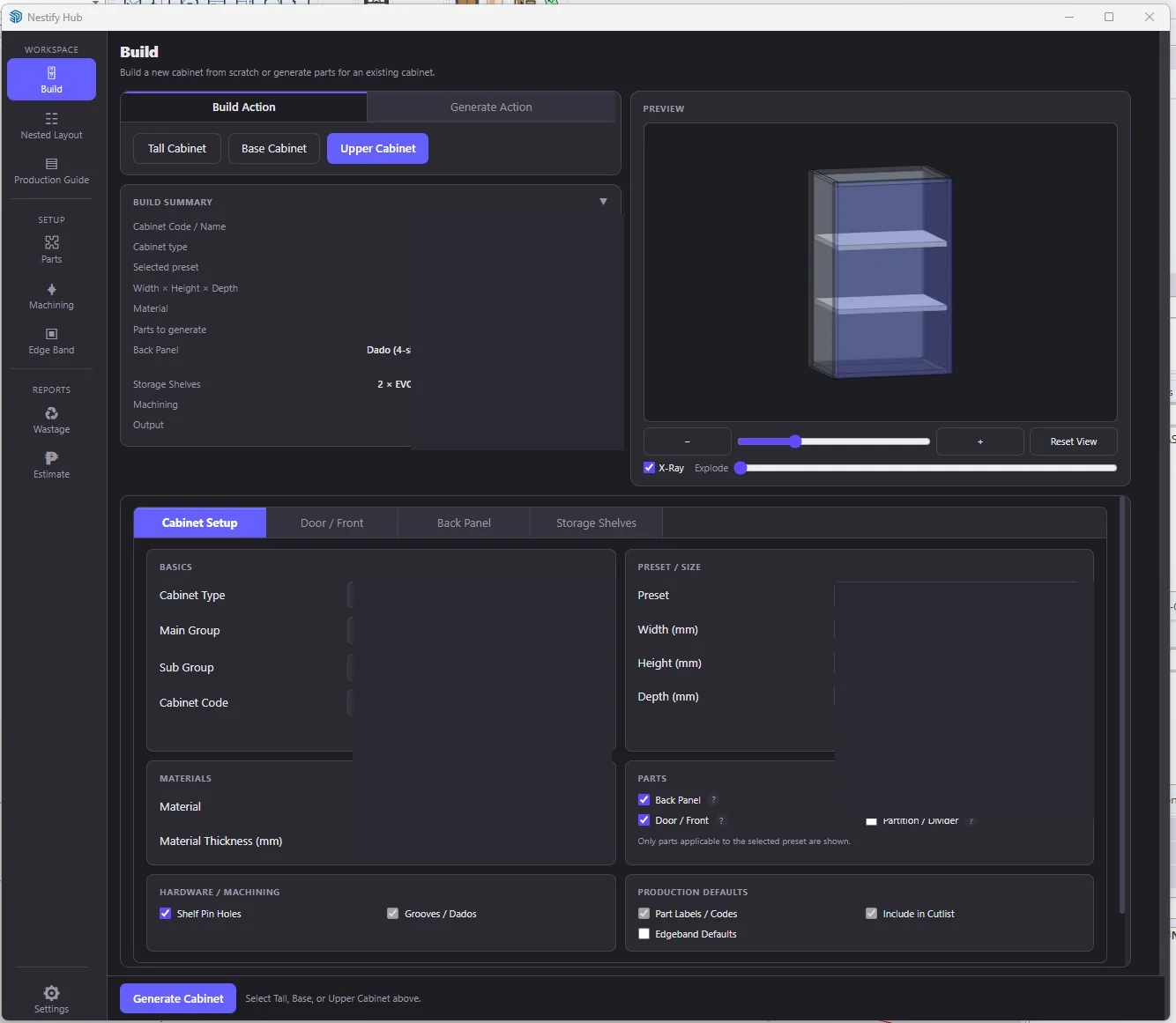
Built for SketchUp-based production teams
Nestify is designed for businesses that have moved beyond basic 3D modeling and need a more repeatable path from cabinet design to fabrication preparation.
- Custom cabinet makers
- Modular cabinet and casework manufacturers
- Millwork and interior fit-out contractors
- Production designers and estimators using SketchUp
- Small-to-mid-sized fabrication teams replacing manual spreadsheets and disconnected handoffs
Design is only the first step
Creating the cabinet model is only part of the job. Production teams still need to organize components, prepare material information, plan sheet usage, document assembly, estimate costs, and verify that the output is ready for fabrication.
When these steps depend on repetitive manual work and disconnected spreadsheets, production becomes slower, less consistent, and harder to scale.
Nestify brings these preparation tasks into one structured workflow inside SketchUp.
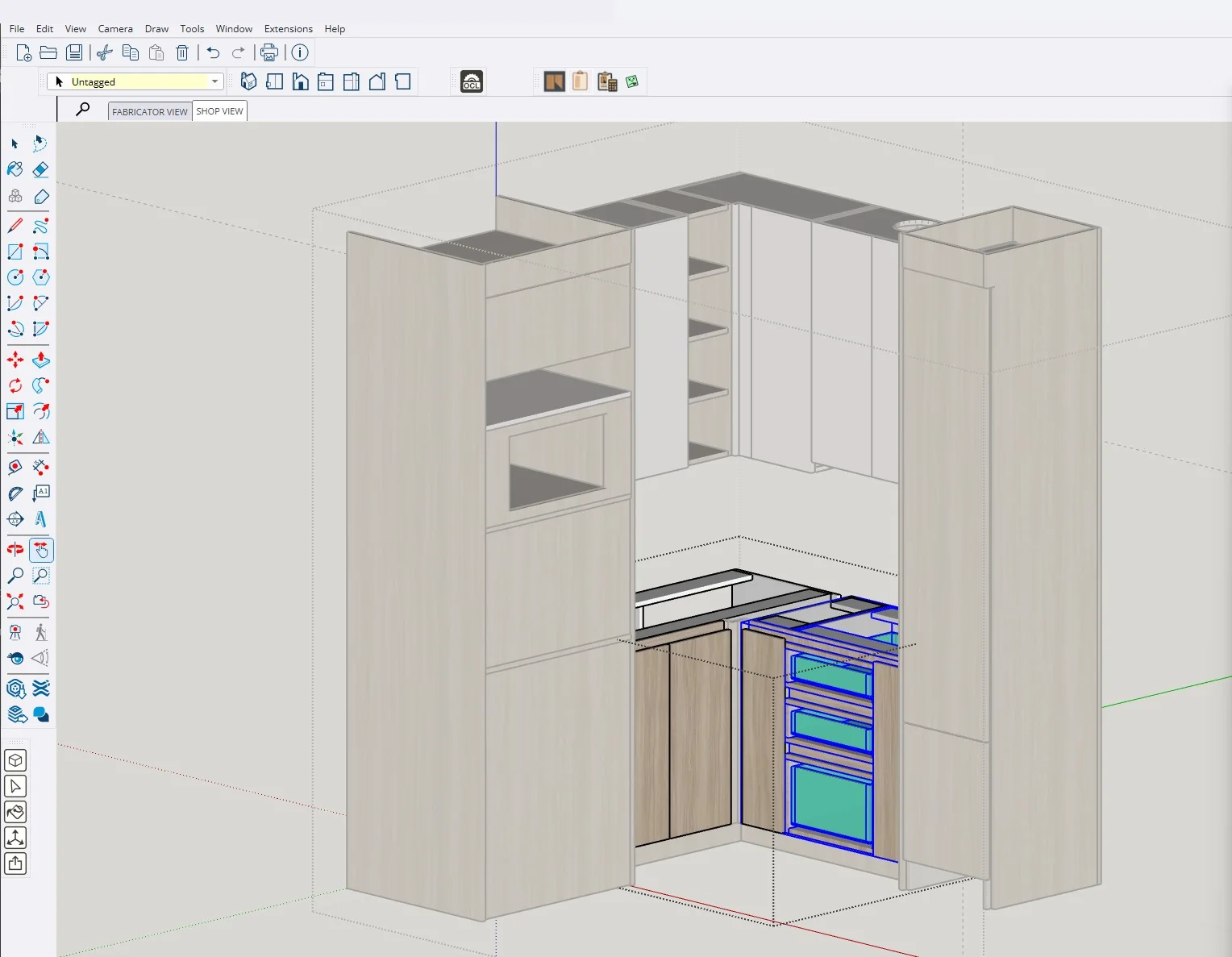
A connected path from model to production preparation
- Build or prepare cabinets
- Organize production parts
- Generate nested sheet layouts
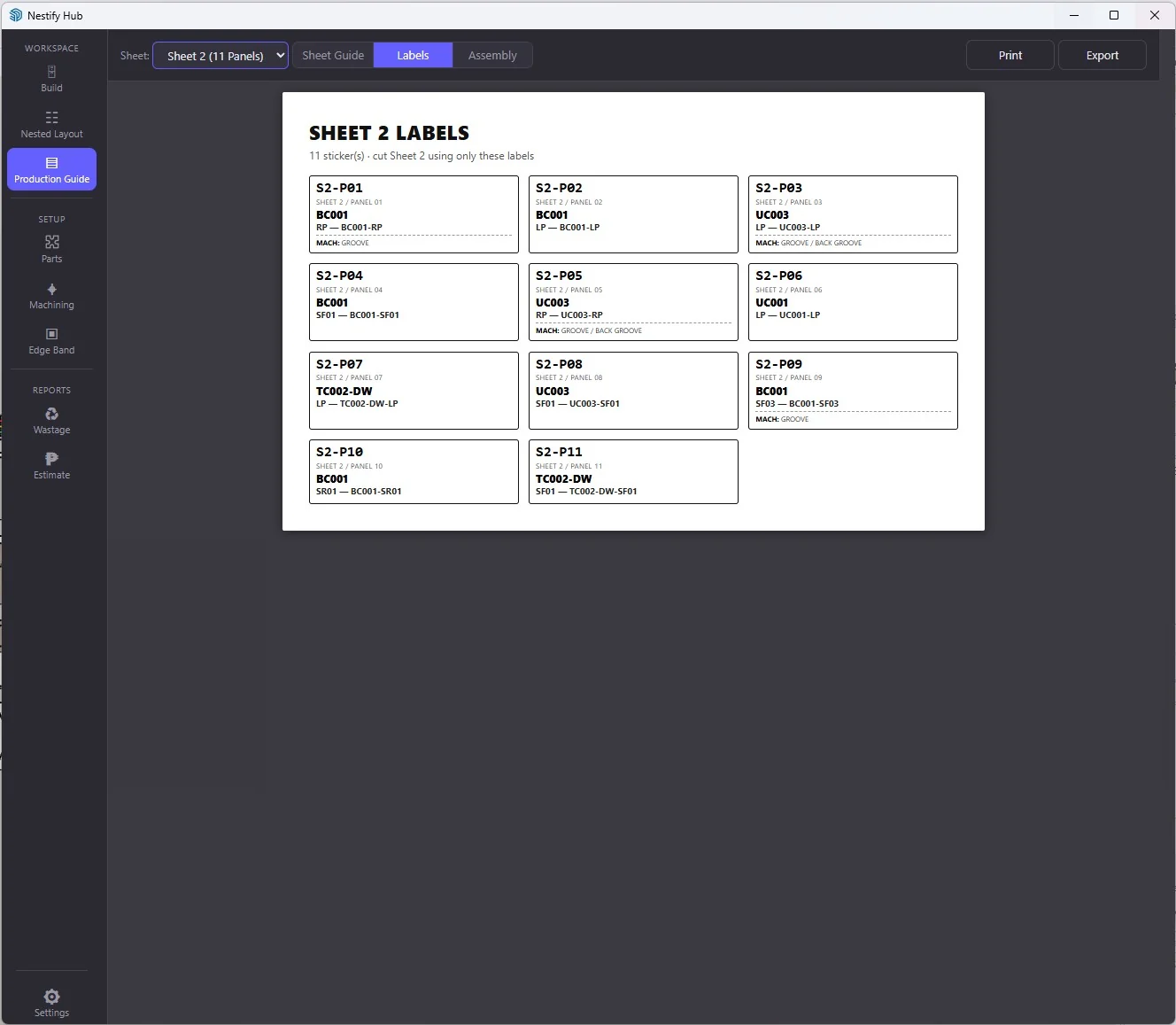
- Create sheet production guides
- Prepare printable part labels
- Generate per-cabinet assembly references
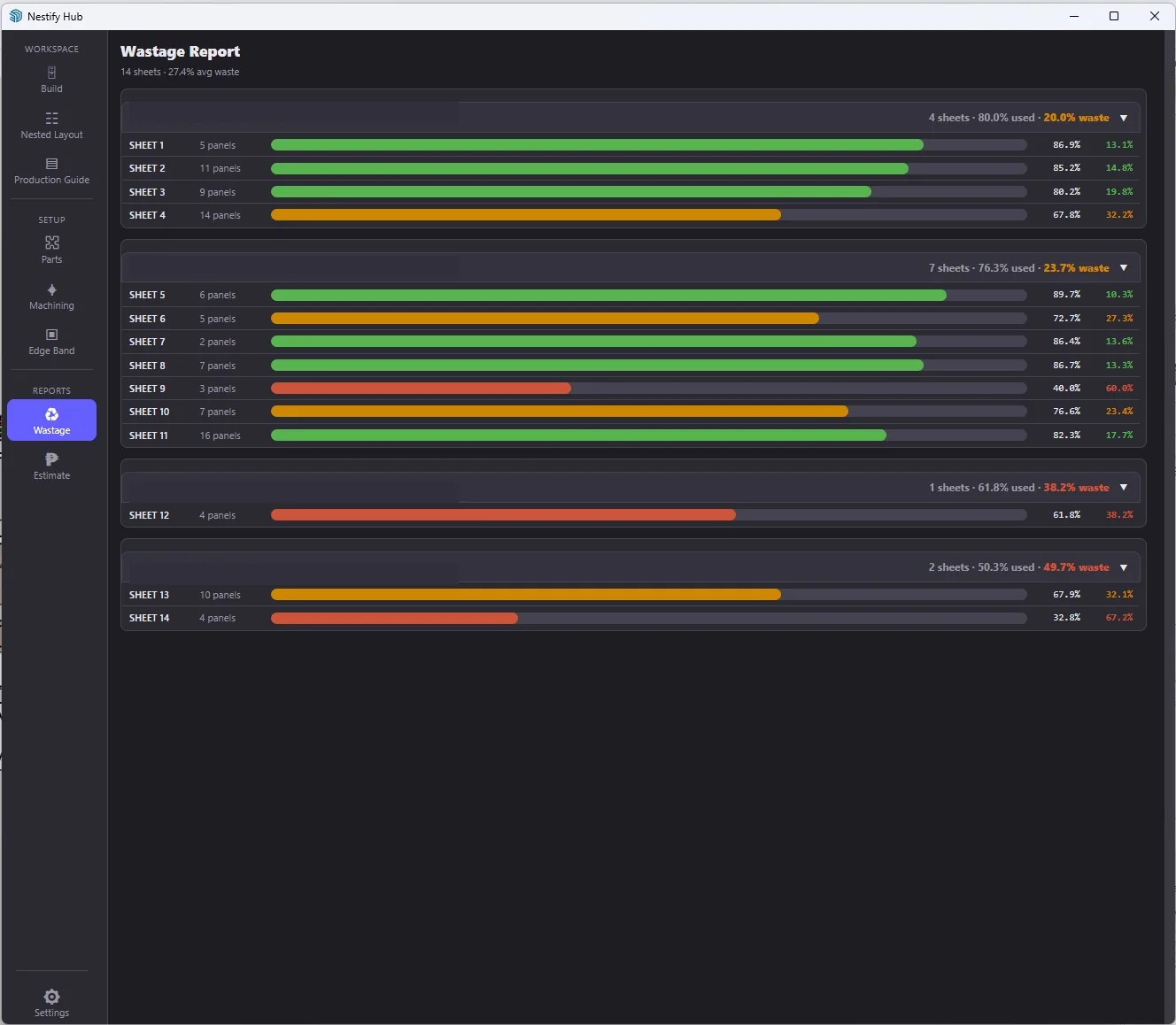
- Review material usage and wastage
- Support production costing and estimates
What Nestify helps produce
Cabinet building and preparation
Build Base, Upper, and Tall cabinet structures or prepare production parts for existing cabinet models through a guided SketchUp workflow.
Visual review
Preview cabinet structures and generated components through controlled visual and exploded views before continuing with production preparation.
Material planning
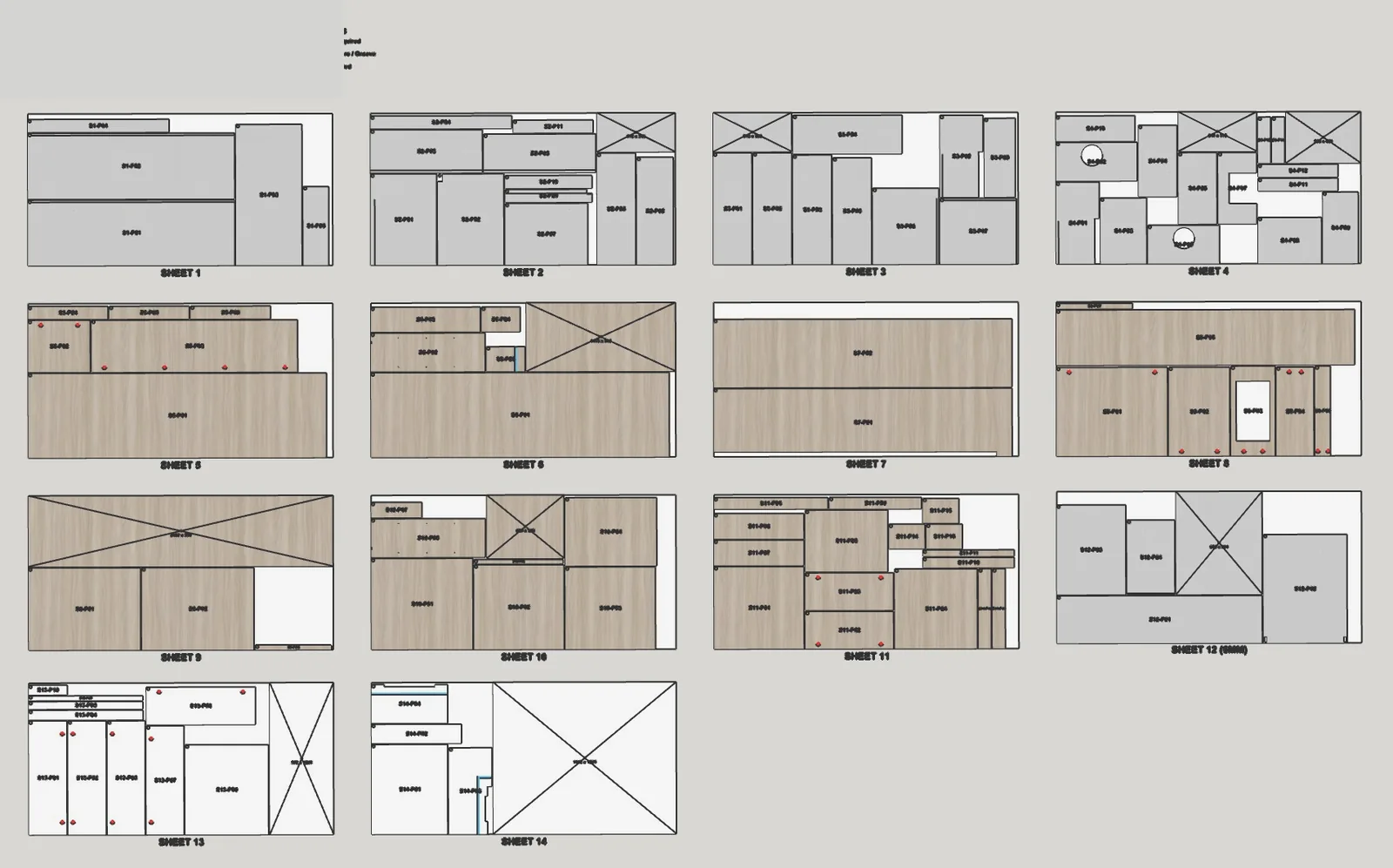
Organize cabinet parts by material and prepare nested sheet layouts for production planning.
Nested sheet layouts
Arrange production parts across material sheets to provide a clearer view of sheet requirements and part placement.
Sheet production guides
Create sheet-specific guides containing panel references, dimensions, material context, edge-band requirements, and machining indicators for fabrication preparation.
Printable part labels
Generate printable labels that help identify and track cabinet parts from sheet cutting through assembly.
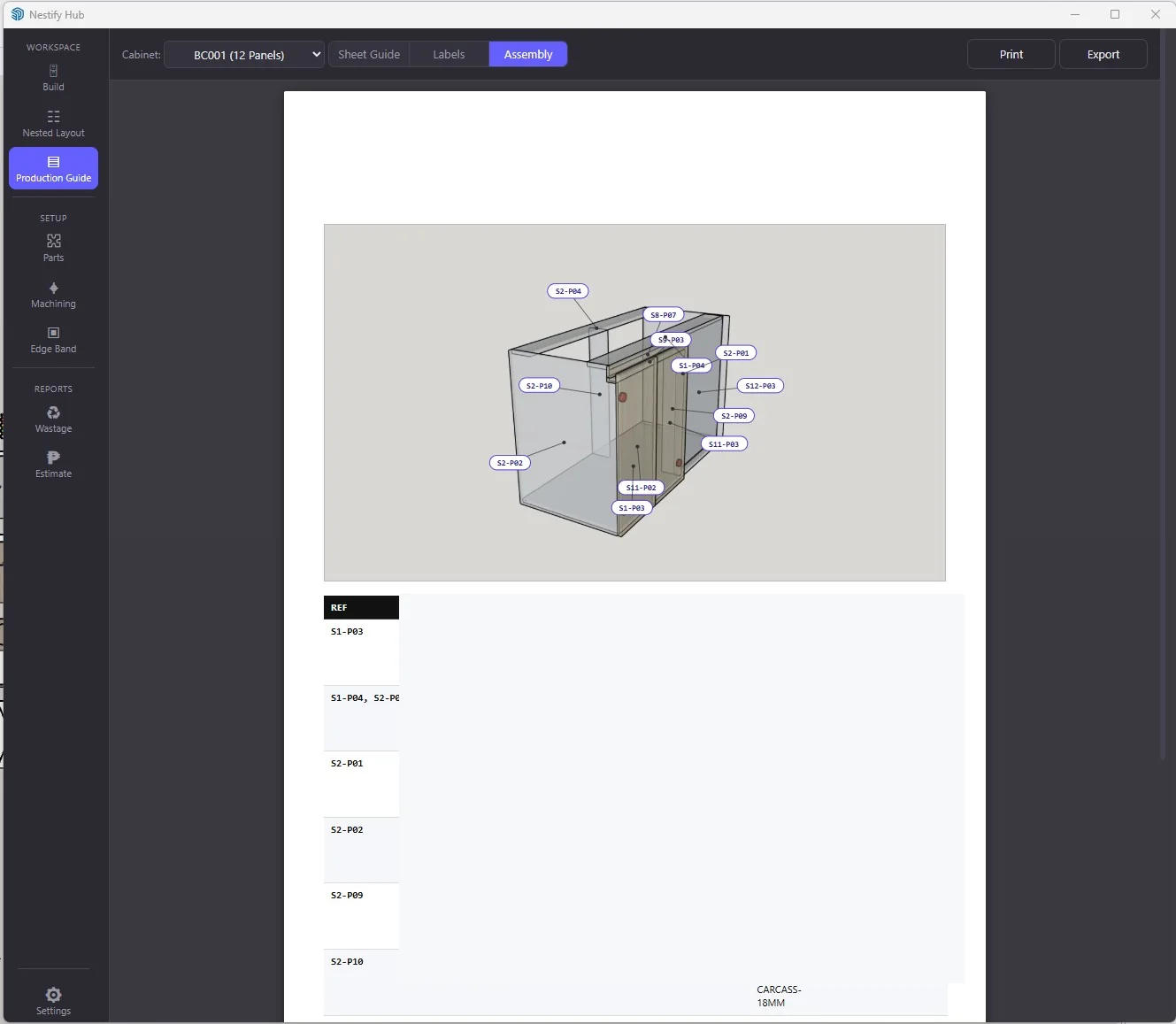
Assembly guides
Produce per-cabinet visual references that connect individual production parts to their intended cabinet assembly.
Wastage visibility
Review sheet utilization and material waste across project materials to support purchasing and production decisions.
Costing support
Bring material usage, edge banding, CNC cutting, hardware, and related production costs into a more structured estimating workflow.
Edge-band management
Review and manage edge-band requirements as part of the cabinet-production workflow.
Machining information
Carry relevant machining requirements such as boring and groove indicators into production-facing outputs.
Production checks
Help identify missing information, inconsistencies, and outdated production layouts before fabrication proceeds.
Product output gallery
Why it matters
- Reduces repetitive production preparation
- Creates a more consistent design-to-production handoff
- Keeps cabinet, material, and production information connected
- Improves visibility into sheet usage and material waste
- Provides clearer references for cutting and assembly teams
- Supports more consistent estimating decisions
- Helps identify preparation issues before fabrication
- Keeps the workflow inside the team's existing SketchUp environment
Built around real production workflows
Nestify is not a generic cabinet catalog. It is being developed around the operational requirements of cabinet production, including the handoff between design, component preparation, material planning, production documentation, costing, and fabrication.
Every production team works differently. Private demonstrations and workflow discussions are available for businesses evaluating a more structured SketchUp-to-production process.
Discuss your workflowLooking for a more structured SketchUp-to-production workflow?
Request a private demonstration to discuss how Nestify could support your cabinet-production process.
Request a private demo