CHANNELFORGE
One control room for multi-channel video publishing: from finished episode to scheduled upload, with the owner in charge of every release.
ChannelForge is a self-hosted command center that runs several YouTube channels and their Facebook pages from one place. It reads finished episodes from the production engines, checks them, packages titles, descriptions, tags, thumbnails and captions, schedules uploads, and reports how they perform. Nothing is published without the owner's approval.
Back to projects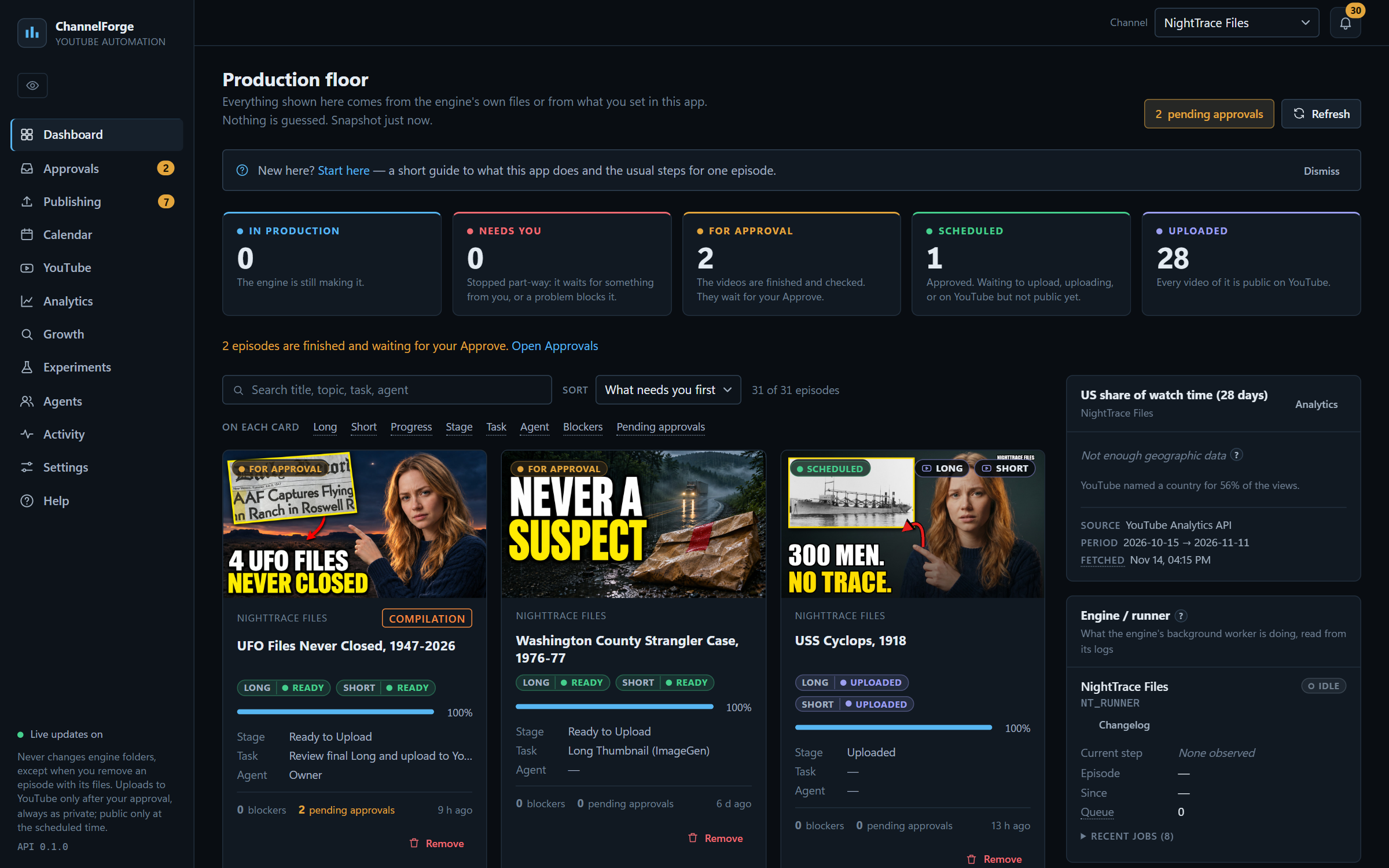
The Problem
Running several channels repeats the same work: checking videos, writing descriptions and tags, picking thumbnails, keeping a posting calendar, uploading at the right hour, following YouTube with Facebook, pinning comments, watching expiring sign-ins, and reading analytics in different places.
Manual handoffs make it easier to miss slots, collide uploads, and let mistakes reach the public.
The Approach
- Production engines make the videos. ChannelForge reads finished episode folders without editing the engines' files.
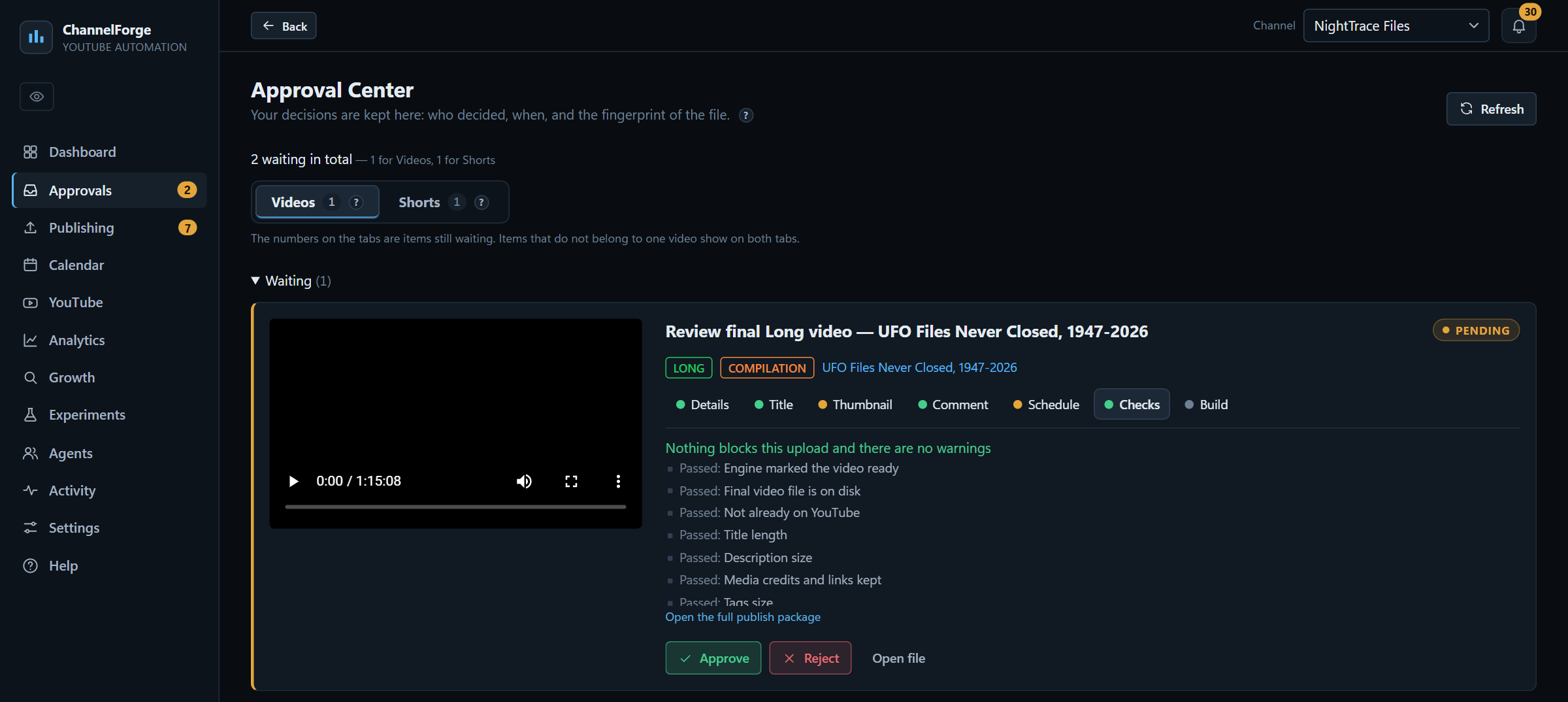
- Every episode gets automatic checks, then waits for the owner in the Approval Center.
- Approved videos receive a calendar slot and upload ahead of the scheduled release.
- Facebook follows only after the YouTube video is public.
- Platform analytics return to the same app for review.
What ChannelForge Does
Multi-channel dashboard
Documentary, ranked-clip Short, and tech-history workflows sit side by side, with separate channel rules, publish times, and limits.
Approval Center
Waiting, approved, uploaded, and history lists keep release state visible. The Checks tab surfaces automatic readiness checks. Build reports show production details when supplied by the engine, including AI clips, rendered maps, overlays, real evidence, 4K masters, and final QC results. Approval requires a publish time.
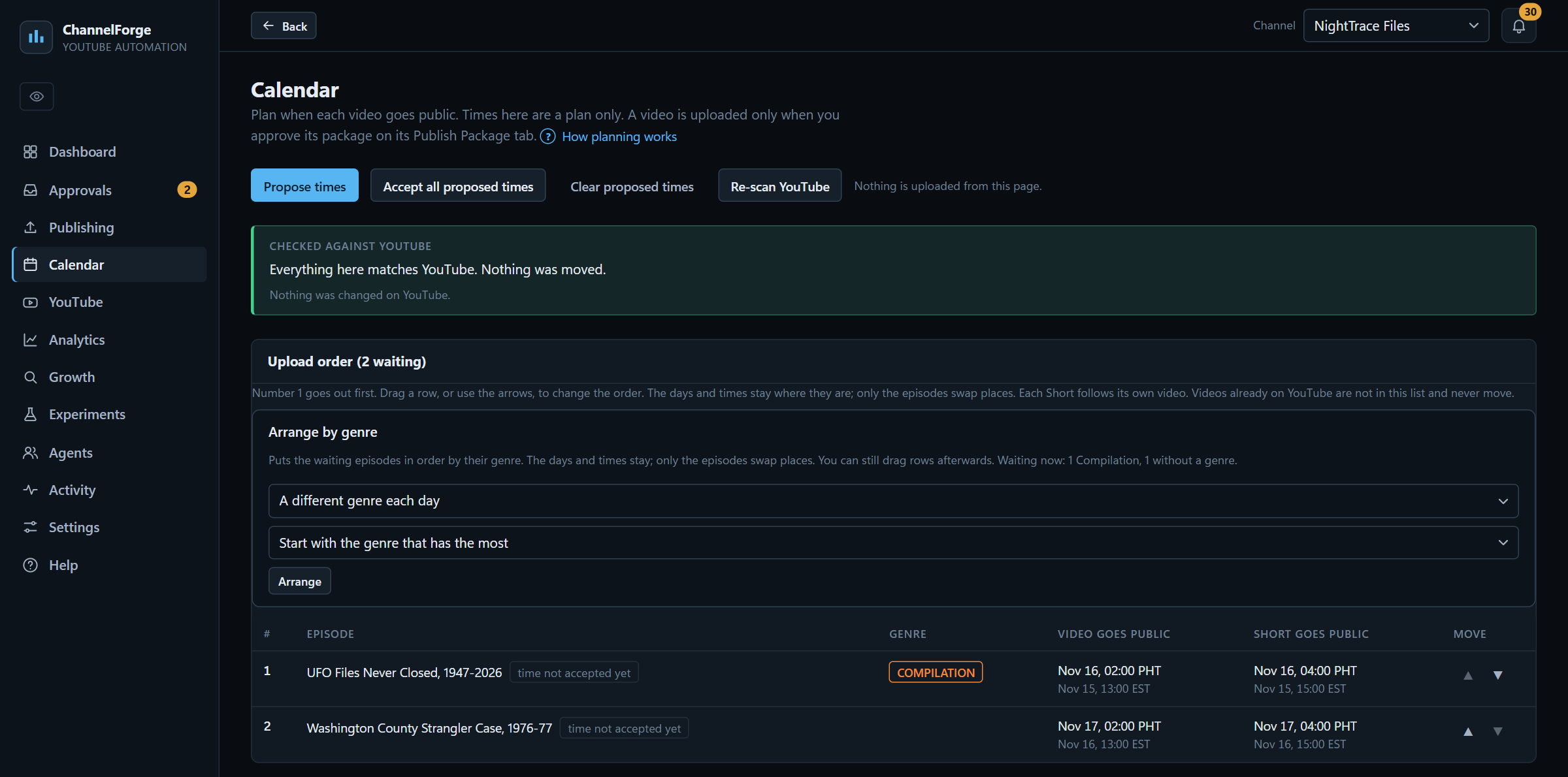
Smart calendar
Fixed daily slots, new episodes first, drag/reorder, and propose-and-accept controls organize each channel's release schedule.
Safe auto-upload
YouTube uploads start six hours before release, with scheduling, thumbnails, captions, playlists, and an automatic comment. Limits cap each channel at two uploads per day, prevent bulk uploads, and block changes during an active upload.
Facebook publishing
Page videos and Reels follow one hour after the YouTube release. Failed or stale posts can be retried without double posting.
Packaging tools
Build descriptions and tags, apply genre and playlist rules, and prepare thumbnails with three-way A/B test support.
Quality gates
Per-video QC checks duration, loudness, true peak, captions, and frames. A footage-rights gate holds uploads until clip licences are cleared; the production engine also has a delivery gate.
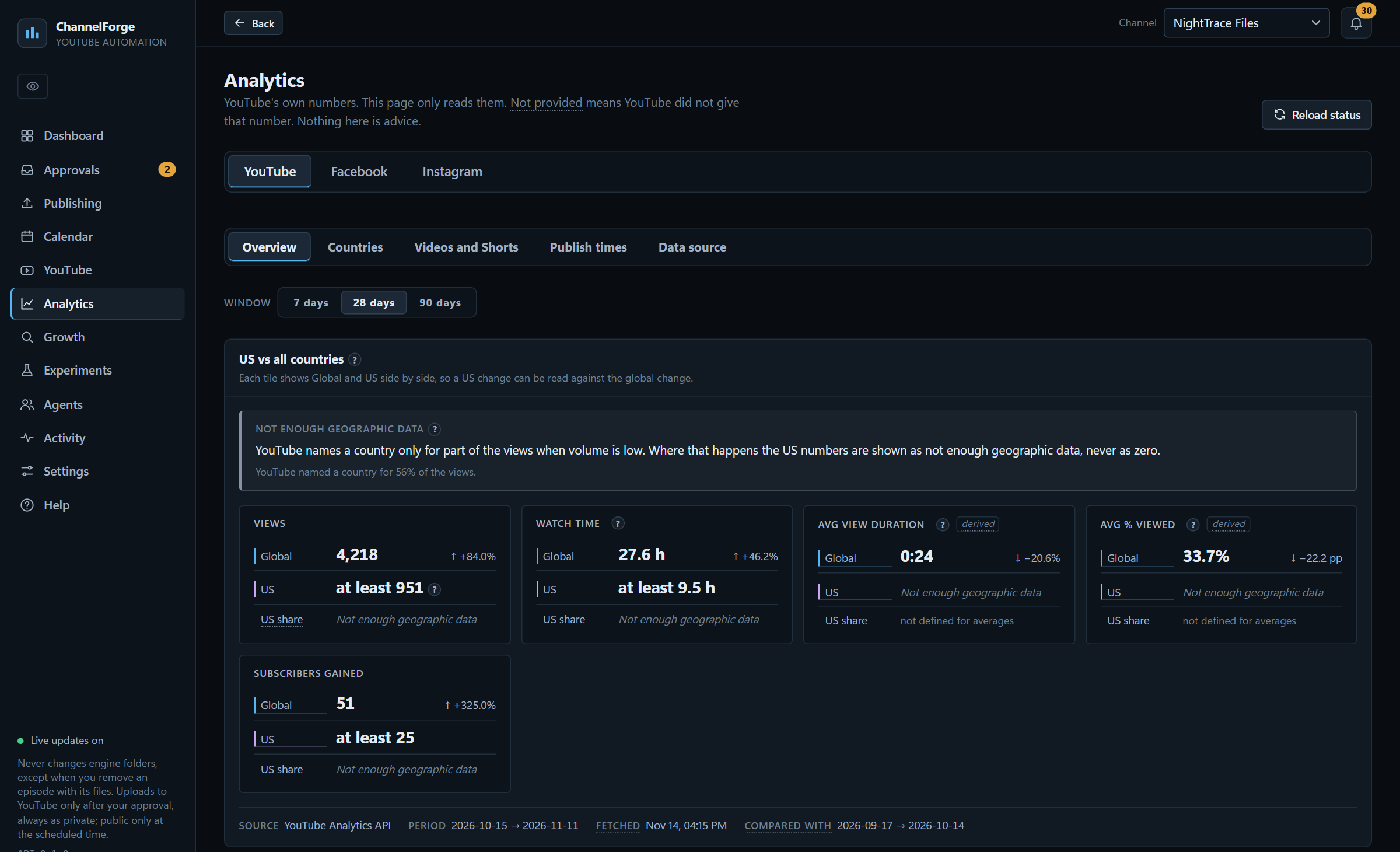
Analytics
Review YouTube views, retention, countries, publish times, and Shorts versus long-form alongside Facebook Page insights.
Watchdog and alerts
Background checks several times a day warn before sign-ins expire and retry failed uploads that were not caused by sign-in problems.
AI-tool credit tracking
Track daily credits across AI video accounts so production can use free credits first.
Owner-Controlled Workflow
- The engine delivers an episode: video, Short, thumbnail, captions, and upload information.
- ChannelForge scans it, runs QC, and builds the upload package.
- The owner reviews the Approval Center and approves with a publish time.
- The upload starts six hours before release; the video goes public on schedule.
- Facebook follows one hour after YouTube is public.
- Analytics and experiments inform the next episode.
Full Story + Derived Short
One episode, two formats—connected through the same publishing workflow.
Spark curiosity.
Lead viewers to the full story.
The Short introduces an intriguing moment without revealing the full story. It is designed to spark curiosity and encourage viewers to continue to the long-form video for the complete narrative.
ChannelForge checks and packages the outputs for review, then schedules their releases after owner approval.
Platforms
- YouTube Live
- Uploads, scheduling, thumbnails, captions, playlists, comments, and analytics.
- Facebook Page Live
- Video and Reels publishing, plus Page analytics.
- Instagram Planned
- Analytics tab prepared; not connected yet. Publishing is in development.
- TikTok Planned
- Publishing is in development.
Quality & Trust
- Owner approval is required for every upload; approvals without a publish time are refused.
- Upload limits and lead times constrain bulk and repeated upload behavior.
- The footage-licence gate holds releases until rights are cleared.
- Secrets are stored encrypted, with sign-in health visible on the dashboard.
- 400+ automated backend tests support the implementation.
Inside the Control Room
Open a screenshot to inspect the interface.
Technology Stack
- Backend
- Python 3.12 · FastAPI · SQLAlchemy · SQLite · Uvicorn
- Interface
- React 18 · TypeScript · Vite
- Platform integration
- YouTube Data and Analytics APIs · Meta Graph API
- Operations
- FFmpeg-based QC · Windows Task Scheduler watchdog · local single-machine deployment
Current Development
Active
Running live YouTube channels and their Facebook pages daily, with scheduling, uploads, Facebook mirroring, and analytics.
Current focus
Instagram and TikTok publishing, production Build reports, and stronger quality-control and review tools. Instagram and TikTok remain planned integrations.
Building systems that turn complex workflows into repeatable operations.
Interested in a similar custom workflow? Connect with me on LinkedIn.
Connect on LinkedIn